At home in your menu bar.
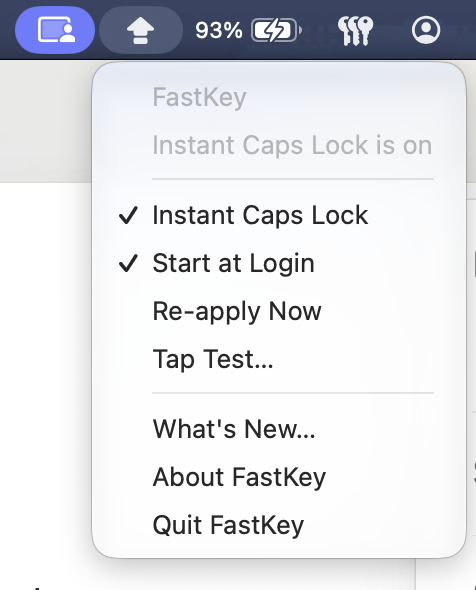
Turn Instant Caps Lock on or off, start at login, or open Tap Test. Everything is one click away.
Quick taps. The right letters. FastKey removes your Mac’s
Caps Lock delay, so you can keep on typing.
14 days free. £4.99 once if you like it.
macOS can ignore a quick Caps Lock tap. You keep typing,
only to find the letters are the wrong way round.
hELLO tHANK YOU
 With FastKeyAs you intended
Hello Thank you
An illustrative example, not a test of this device.
No new way to type. Just your keyboard, behaving as you expect.
Turn Instant Caps Lock on or off, start at login, or open Tap Test. Everything is one click away.
Enable Start at Login to bring FastKey back when you sign in. It also reapplies the setting after sleep and keyboard reconnects.
Prefer the original behaviour? Turn FastKey off. No driver to uninstall and no permanent system modification.
A small change. Easy to undo.
Open Tap Test on your Mac. Compare Caps Lock presses with Instant Caps Lock on and off, using your own keyboard.
It’s built into FastKey, so you can check for yourself.
Try it on your Mac Tap Test needs Input Monitoring permission.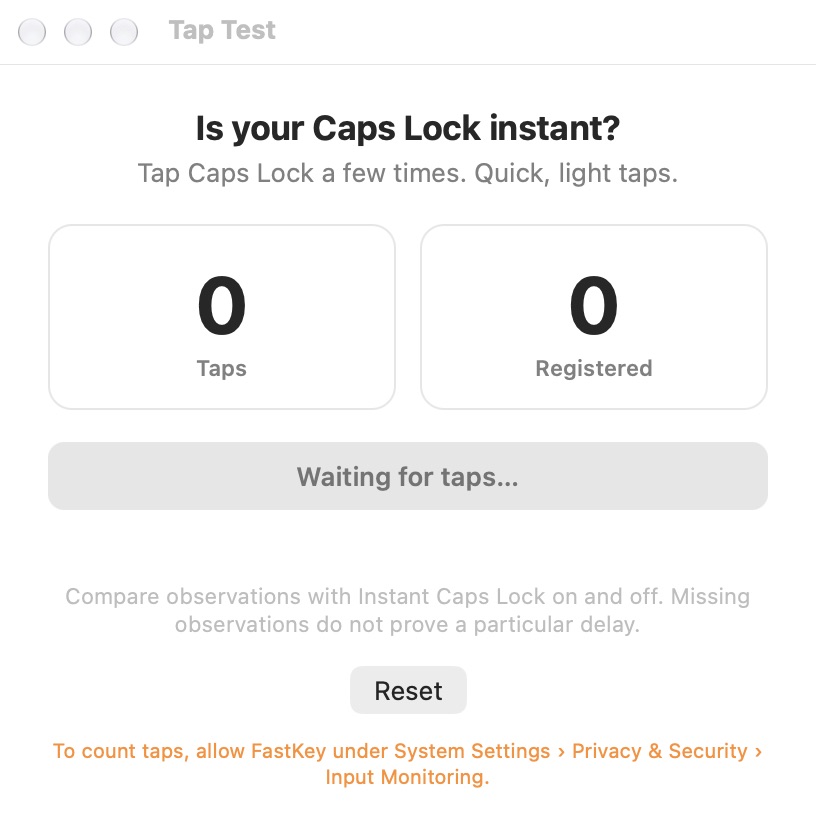
FastKey doesn’t record or transmit what you type. The direct and Setapp editions handle licensing differently, and the Setapp framework reports app usage.
Read the privacy policyGet FastKey directly, or choose the Setapp edition.
£4.99 one time
A little upgrade to your everyday typing.

The same instant Caps Lock.
Purchased and licensed through Setapp.
A separate edition, independent of your direct licence. See Setapp for pricing and purchase terms.
 Partner link. Syrian Apps may earn a commission.
FastKey changes the Caps Lock delay setting exposed by macOS. It runs as a menu bar app and reapplies the setting when needed. It does not install a keyboard driver.
Yes. Switch off Instant Caps Lock from the menu. The setting is temporary, so restarting without FastKey also returns your Mac to its usual behaviour.
The current direct download requires macOS 13 or later and an Apple Silicon Mac. You can try it on your own setup for 14 days before buying.
Input Monitoring lets Tap Test observe Caps Lock presses for the comparison. You do not need that permission just to enable Instant Caps Lock. FastKey does not record or transmit your typed text.
No. Choose one distribution. A direct licence and a Setapp purchase are separate, and neither requires you to buy the other.
For the direct edition, Instant Caps Lock requires a licence after the 14-day trial. Your Mac returns to its normal Caps Lock behaviour if you do not buy. Setapp has its own purchase terms.